Master Google Ads: The Complete Guide for 2026
Google Ads remains the most powerful advertising platform in the world, processing over 8.5 billion searches per day. For businesses looking to generate immediate, measurable leads and sales, Google Ads delivers unmatched targeting precision and ROI potential.
However, Google Ads has evolved dramatically in 2026. With AI-powered automation, Performance Max campaigns, and new bidding strategies, success requires a modern approach. This comprehensive guide covers everything you need to run profitable Google Ads campaigns.
Understanding Google Ads in 2026
Campaign Types Available
- Search Campaigns: Text ads that appear when users search for your keywords. The foundation of most Google Ads strategies.
- Performance Max: AI-driven campaigns that automatically optimize across Search, Display, YouTube, Gmail, Discover, and Maps.
- Display Campaigns: Visual banner ads across 2+ million websites in the Google Display Network.
- Shopping Campaigns: Product listings with images, prices, and reviews for e-commerce businesses.
- Video Campaigns: YouTube advertising for brand awareness and direct response.
- Demand Gen: Social-style campaigns across YouTube, Discover, and Gmail for lead generation.
- App Campaigns: Drive app installs and in-app actions across all Google properties.
Setting Up Your First Campaign: Step-by-Step
Step 1: Define Your Campaign Goal
Start with a clear objective. Google Ads offers goal-based campaign creation for:
- Sales (online, in-store, or by phone)
- Leads (form submissions, sign-ups, calls)
- Website traffic
- Brand awareness and reach
- App promotion
- Local store visits
Step 2: Keyword Research
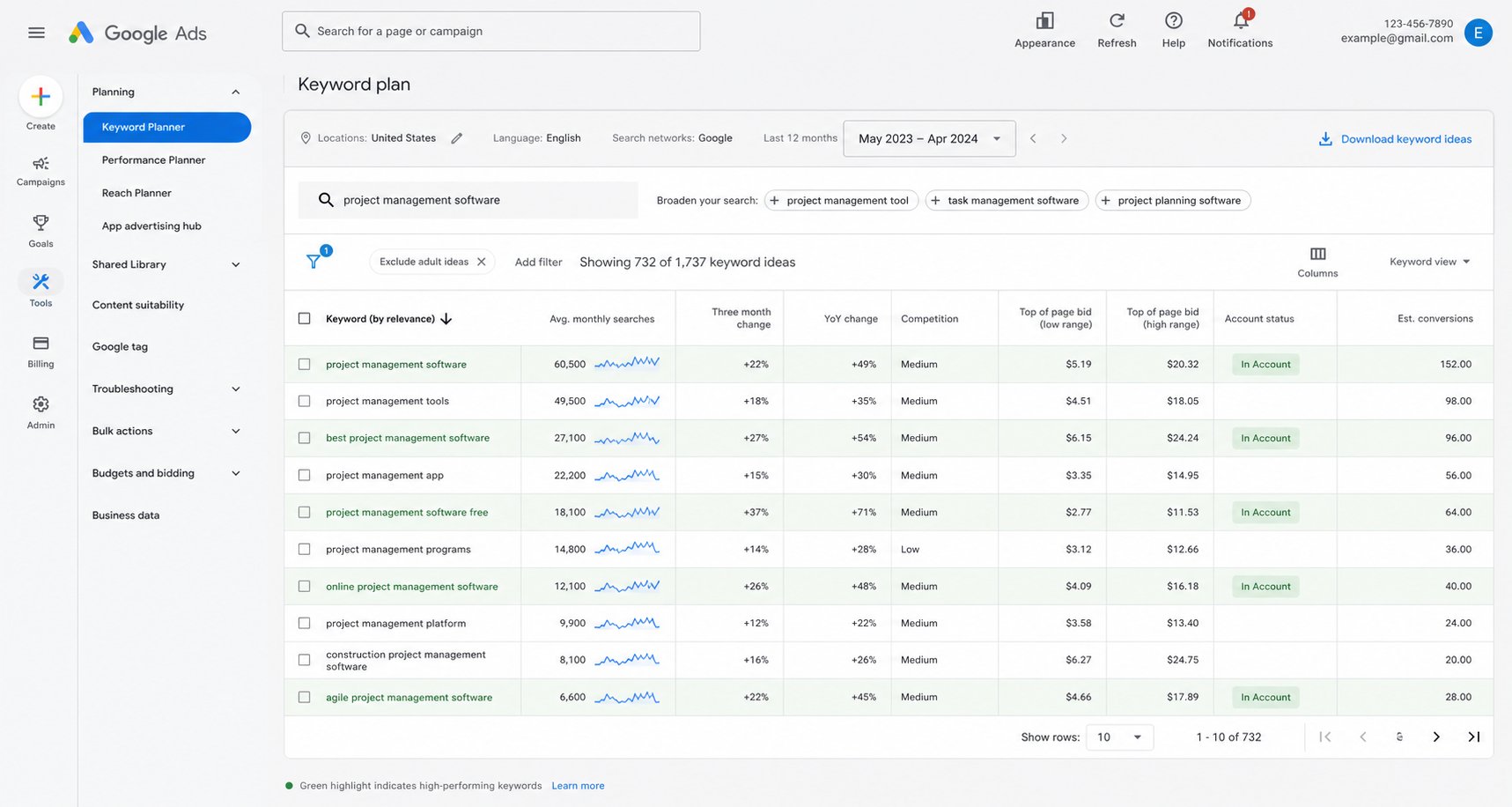
Keyword research is the foundation of successful search campaigns. Use these tools and strategies:
- Google Keyword Planner: Free tool that shows search volume, competition, and suggested bids
- Competitor Analysis: Use tools like Semrush or SpyFu to see what keywords competitors bid on
- Search Term Reports: Analyze actual queries triggering your ads to find new opportunities
- Long-Tail Keywords: Target specific, lower-competition phrases that convert better
Step 3: Create Compelling Ad Copy
Responsive Search Ads (RSAs) are now the standard. Create ads with:
- 15 Headlines: Include keywords, benefits, CTAs, and unique selling propositions
- 4 Descriptions: Expand on benefits, include social proof, and add clear calls-to-action
- Ad Extensions: Sitelinks, callouts, structured snippets, call extensions, and image extensions
- Asset Diversity: Google’s AI tests combinations automatically—provide variety for best results
Step 4: Build Optimized Landing Pages
Your landing page determines whether clicks convert. Essential elements include:
- Message match between ad and landing page
- Clear, prominent call-to-action above the fold
- Trust signals: testimonials, reviews, security badges
- Fast load speed (under 3 seconds)
- Mobile-optimized design
- Simple forms with minimal fields
Advanced Google Ads Strategies for 2026
1. Performance Max Campaigns
Performance Max is Google’s AI-powered campaign type that delivers ads across all Google channels. To maximize results:
- Provide high-quality creative assets (images, videos, headlines, descriptions)
- Set up proper conversion tracking with enhanced conversions
- Use audience signals to guide Google’s AI toward your ideal customers
- Allow 4-6 weeks for the algorithm to optimize
- Monitor asset group performance and replace underperformers
2. Smart Bidding Strategies
Google’s AI-powered bidding strategies outperform manual bidding in most cases:
- Target CPA: Optimize for a specific cost per acquisition
- Target ROAS: Optimize for a specific return on ad spend
- Maximize Conversions: Get as many conversions as possible within budget
- Maximize Conversion Value: Optimize for total revenue
- Enhanced CPC: Combine manual control with AI optimization
3. Audience Targeting
Layer audience targeting on top of keyword targeting for better results:
- In-Market Audiences: Users actively researching products like yours
- Affinity Audiences: Users with demonstrated interests in relevant topics
- Custom Audiences: Target based on specific websites, apps, and searches
- Customer Match: Upload customer lists for targeting and exclusion
- Remarketing: Re-engage website visitors who didn’t convert
4. Negative Keywords
Negative keywords prevent your ads from showing for irrelevant searches, saving budget and improving performance:
- Review search term reports weekly and add irrelevant terms as negatives
- Create shared negative keyword lists for campaign groups
- Add common negative keywords: “free,” “cheap,” “DIY,” “jobs,” “salary,” “download”
- Use negative keyword match types (broad, phrase, exact) appropriately
Budget Management and Optimization
How Much Should You Spend?
Your Google Ads budget depends on your industry, goals, and competition. General guidelines:
- Small Businesses: $1,000-$5,000/month to start
- Mid-Market: $5,000-$25,000/month
- Enterprise: $25,000+/month
Start with a budget that allows at least 20-30 clicks per day per campaign to give the algorithm enough data to optimize.
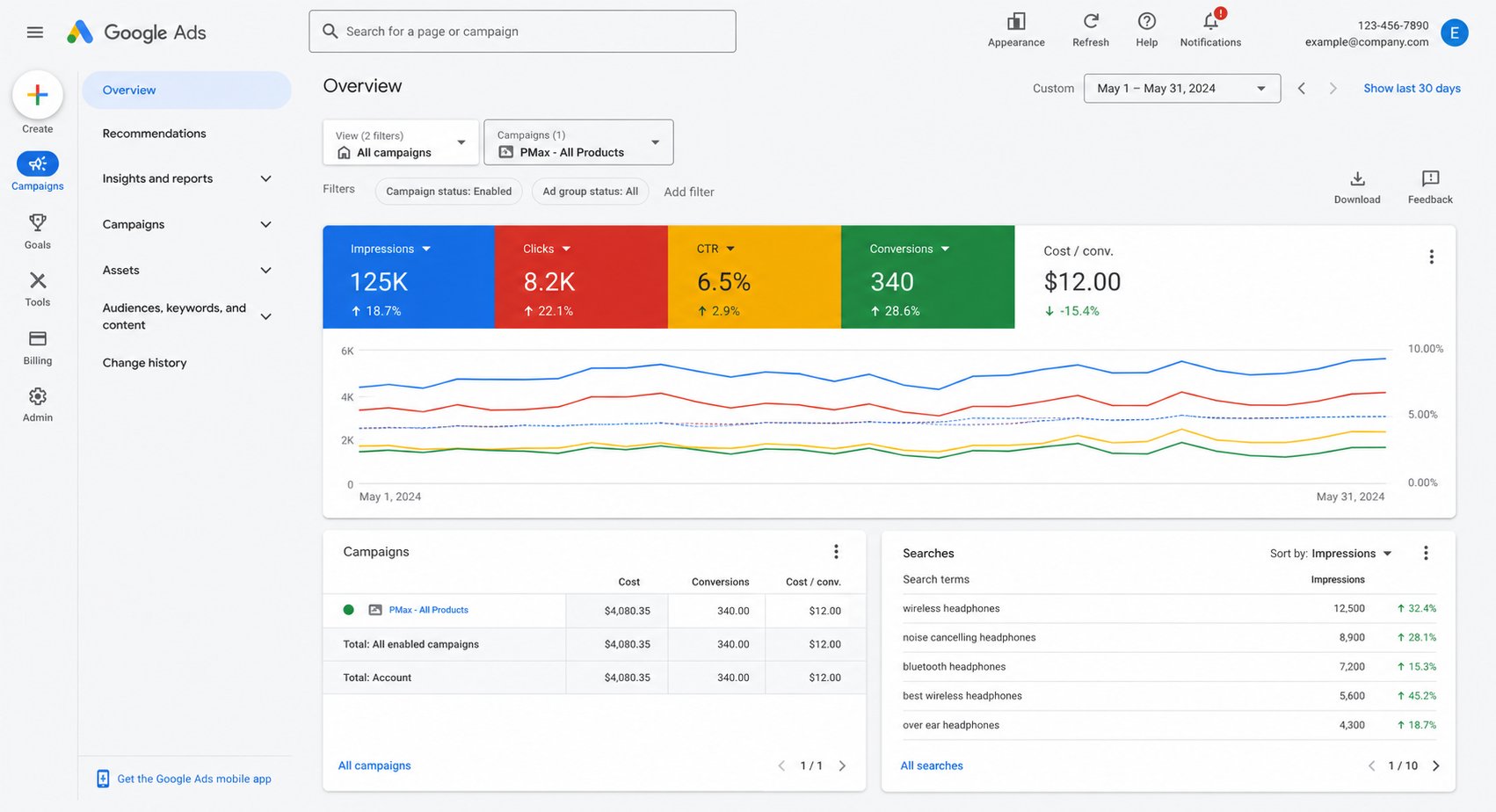
Key Metrics to Track
| Metric | What It Measures | Good Benchmark |
|---|---|---|
| CTR (Click-Through Rate) | Ad relevance and appeal | 3-5% for Search |
| Conversion Rate | Landing page effectiveness | 3-8% |
| CPC (Cost Per Click) | Traffic cost efficiency | Varies by industry |
| CPA (Cost Per Acquisition) | Lead/customer cost | Under target CPA |
| ROAS (Return on Ad Spend) | Revenue per dollar spent | 300%+ (3:1 ratio) |
| Quality Score | Overall campaign health | 7-10 |
Common Google Ads Mistakes to Avoid
- Not Using Conversion Tracking: Without tracking, you can’t optimize for results
- Broad Match Without Negatives: Wastes budget on irrelevant searches
- Poor Landing Pages: Great ads with bad landing pages = wasted spend
- Setting and Forgetting: Campaigns need weekly monitoring and optimization
- Too Many Keywords Per Ad Group: Reduces relevance and Quality Score
- Ignoring Mobile Users: 60%+ of searches happen on mobile—optimize accordingly
- Not Using Ad Extensions: Extensions increase CTR by 10-15% on average
- Bidding on Brand Terms Incorrectly: Protect your brand from competitor ads
Get Expert Google Ads Management
Running profitable Google Ads campaigns requires expertise, constant optimization, and the right tools. Unified Management Consulting manages Google Ads campaigns that deliver measurable ROI for businesses across the United States.
Our certified Google Ads specialists can help you maximize every dollar of ad spend. Learn more about our digital marketing services and how we drive results in competitive markets like New York, Los Angeles, and Dallas.
Frequently Asked Questions
How quickly can I see results from Google Ads?
You can start getting traffic within hours of launching. However, meaningful optimization typically takes 2-4 weeks as the algorithm learns and you refine targeting.
What’s a good ROI for Google Ads?
Most businesses aim for at least 3:1 ROAS (earning $3 for every $1 spent). Top-performing campaigns achieve 5:1 to 10:1 or higher.
Should I use Performance Max or Search campaigns?
Use both. Performance Max excels at broad reach and discovery, while Search campaigns provide more control over specific keywords and intent-based targeting.
How do I improve my Quality Score?
Improve ad relevance (match ads to keywords), expected CTR (write compelling ads), and landing page experience (fast, relevant, useful pages).