Editorial note: This article functions as the practical measurement guide within UMC’s small-business SEO cluster, helping owners turn Google data into content and visibility decisions.
Google Search Console is the single most important free tool for any business investing in SEO. It provides direct data from Google about how your website performs in search results — which keywords drive traffic, which pages rank, what errors Google encounters, and how to improve your visibility. Yet most business owners in Lucknow either do not use Search Console at all or barely scratch its surface. This guide shows you how to use Google Search Console to make data-driven SEO decisions that grow your organic traffic and revenue.
Setting Up Google Search Console
Step 1: Add Your Property
Go to search.google.com/search-console and add your website. Choose the “Domain” property type (covers all versions: www, non-www, http, https) and verify through DNS record, or use “URL prefix” for simpler verification through HTML file, meta tag, or Google Analytics.
Step 2: Submit Your Sitemap
Submit your XML sitemap (usually at yourdomain.com/sitemap.xml) to help Google discover and index all your pages. If you use WordPress with Rank Math or Yoast, your sitemap is generated automatically.
Step 3: Wait for Data
Search Console takes 2-7 days to start showing data after setup. Historical data goes back 16 months, so if your site was already indexed, you will see past performance data immediately.
The Performance Report: Your SEO Dashboard
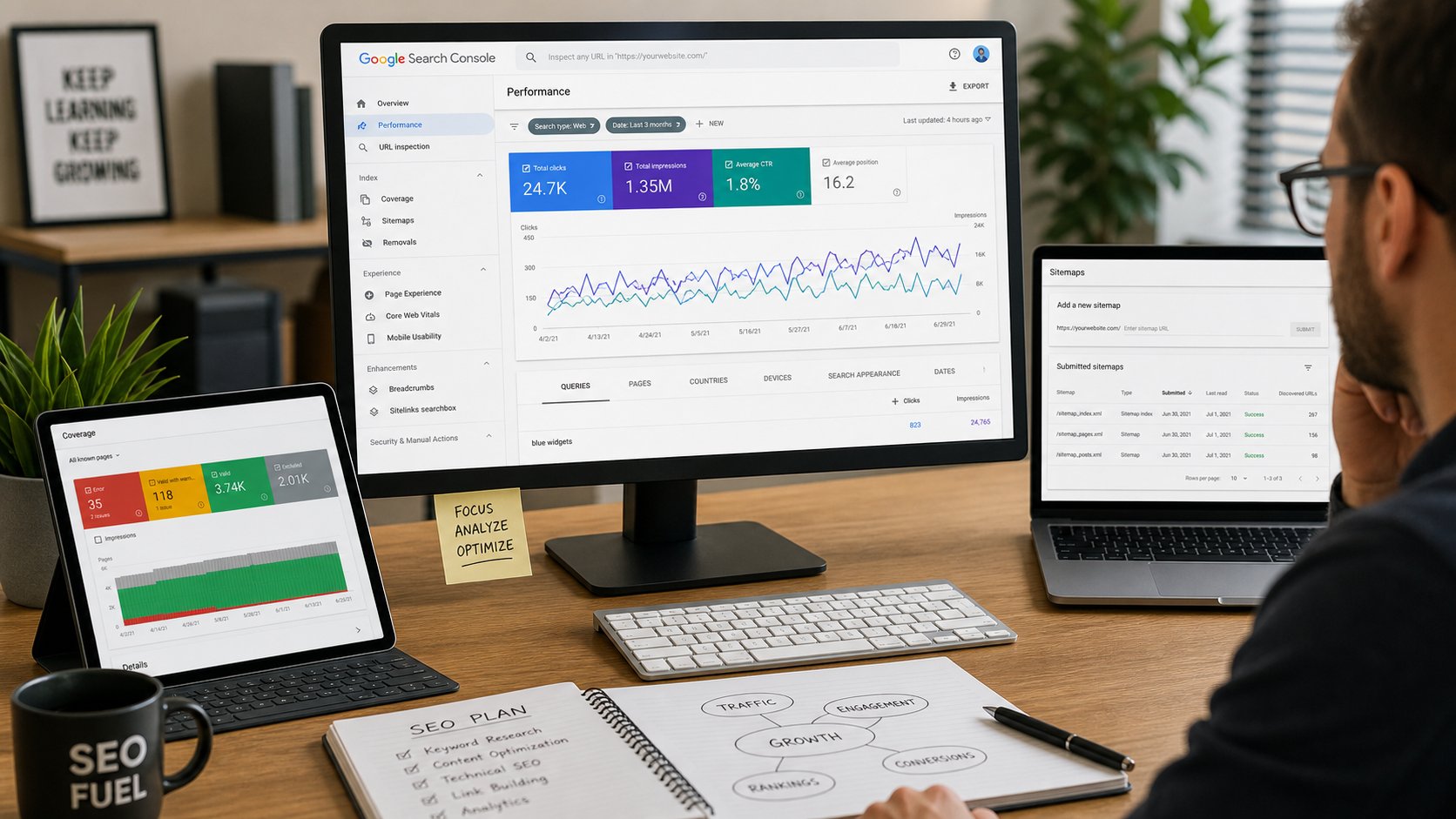
The Performance report is the most valuable section in Search Console. It shows exactly how your website performs in Google search results:
Key Metrics Explained
| Metric | What It Means | What to Look For |
|---|---|---|
| Total Clicks | How many times people clicked your website in search results | Trend over time — is it growing, flat, or declining? |
| Total Impressions | How many times your website appeared in search results | Increasing impressions indicate growing visibility |
| Average CTR | Click-through rate (clicks ÷ impressions) | Higher CTR means better titles and descriptions |
| Average Position | Your average ranking position across all queries | Lower numbers are better (position 1 is top) |
Five High-Value Analyses Using Performance Data
1. Find Quick-Win Keywords (Striking Distance)
Filter queries by position 11-20 (page 2 results). These keywords are close to page 1 but not quite there. Optimising the corresponding pages with additional content, better titles, and internal links can push them onto page 1, generating significant traffic increases with relatively little effort.
2. Identify High-Impression, Low-CTR Pages
Pages with many impressions but low CTR indicate that your title tags and meta descriptions are not compelling enough. Rewrite titles to be more specific and benefit-focused. Update meta descriptions to include clear value propositions and calls-to-action. This single optimisation can increase traffic by 20-50% without any ranking changes.
3. Discover Unexpected Keywords
Review queries that drive traffic to your site. You will often find keywords you did not intentionally target. Create dedicated content for these unexpected keywords to capture even more traffic from topics your audience clearly cares about.
4. Track Branded vs Non-Branded Traffic
Filter for queries containing your brand name vs those that do not. Branded traffic indicates brand awareness and loyalty. Non-branded traffic indicates SEO effectiveness at attracting new audiences. Both should grow over time with effective marketing.
5. Monitor Traffic Trends After Changes
Use the date comparison feature to compare performance before and after website changes, content updates, or algorithm updates. This helps you understand what improvements drive results and what changes may have caused traffic drops.
Index Coverage Report: Ensuring Google Can Find Your Pages
The Index Coverage report shows which pages Google has indexed and which it has not, along with reasons for any issues:
Common Index Issues and Fixes
| Issue | What It Means | How to Fix |
|---|---|---|
| Submitted URL not found (404) | Google found a link to a page that no longer exists | Redirect the URL to a relevant page or remove the broken link |
| Submitted URL blocked by robots.txt | Your robots.txt file prevents Google from crawling the page | Update robots.txt to allow crawling, or remove from sitemap |
| Submitted URL marked noindex | The page has a noindex tag preventing indexing | Remove noindex tag if the page should be indexed |
| Server error (5xx) | Your server returned an error when Google tried to crawl | Check server logs, fix hosting issues, ensure uptime |
| Crawled but not indexed | Google crawled the page but chose not to index it | Improve content quality, uniqueness, and value |
| Discovered but not crawled | Google knows about the page but has not crawled it yet | Improve internal linking, ensure page is in sitemap |
Core Web Vitals: Speed and User Experience
Search Console reports on your website speed and user experience through Core Web Vitals:
- Largest Contentful Paint (LCP): How long the largest content element takes to load. Target: under 2.5 seconds. Fix by optimising images, improving server response time, and implementing caching
- First Input Delay (FID) / Interaction to Next Paint (INP): How long the browser takes to respond to user interaction. Target: under 200ms. Fix by reducing JavaScript execution time and deferring non-critical scripts
- Cumulative Layout Shift (CLS): Visual stability during page load. Target: under 0.1. Fix by specifying image dimensions, reserving space for ads, and avoiding layout changes after load
Pages with poor Core Web Vitals may rank lower than faster competitors. Use the Core Web Vitals report to identify specific pages that need speed optimisation.
Using Search Console for Content Strategy
Identify Content Gaps
Review queries where your pages appear in positions 20-50. These represent topics your audience searches for but where your content is not yet strong enough to rank well. Create new, comprehensive content targeting these queries to capture this untapped traffic.
Find Content Update Opportunities
Identify pages that previously ranked well but have declined. These pages likely need content updates, fresh information, additional sections, or improved optimisation to recover their rankings. Updating existing content is often faster and more effective than creating new content.
Discover Internal Linking Opportunities
Review which pages rank for related keywords. Pages ranking for similar topics should link to each other, creating topical clusters that strengthen your SEO authority for those subjects. Use the Links report to see your current internal linking structure and identify gaps.
Monthly Search Console Checklist
| Task | Frequency | Purpose |
|---|---|---|
| Review Performance report trends | Weekly | Monitor traffic growth or decline |
| Check for new indexing issues | Weekly | Fix errors before they impact rankings |
| Analyse top queries and pages | Monthly | Identify optimisation opportunities |
| Review Core Web Vitals | Monthly | Maintain speed and user experience |
| Check Manual Actions | Monthly | Ensure no penalties have been applied |
| Review mobile usability | Monthly | Fix mobile experience issues |
| Analyse search appearance features | Monthly | Track rich results and featured snippets |
| Compare month-over-month performance | Monthly | Measure SEO progress and ROI |
Frequently Asked Questions
Is Google Search Console free?
Yes, Google Search Console is completely free for all website owners. There are no premium tiers or paid features. Every business with a website should set up and regularly use Search Console regardless of size or budget. It provides data that even expensive SEO tools cannot match because it comes directly from Google.
How is Search Console different from Google Analytics?
Google Analytics tracks what happens on your website (visitors, behaviour, conversions). Search Console tracks what happens in Google search results before visitors reach your site (impressions, clicks, rankings, indexing). Both are essential and complementary. Use Search Console to understand how people find you and Analytics to understand what they do after arriving.
How often should I check Search Console?
Check the Performance report weekly to monitor trends and catch issues early. Review indexing and technical reports monthly to maintain website health. Conduct comprehensive analysis quarterly to inform content strategy and SEO planning. Set up email alerts for critical issues like manual actions or significant traffic drops so you are notified immediately.
Can Search Console help me find keywords to target?
Yes, Search Console is one of the best keyword research tools because it shows keywords your website already ranks for, including those in positions 10-50 that represent untapped opportunity. Filter by position 11-30 to find “striking distance” keywords that could reach page 1 with additional optimisation. Also review queries with high impressions but low clicks to identify content gaps worth targeting with new content.
Why are some of my pages not showing in Google?
Pages may not appear in Google for several reasons: they are blocked by robots.txt, marked with noindex tags, have not been discovered yet, have thin or duplicate content, or have technical errors preventing crawling. Use the Index Coverage report in Search Console to identify the specific reason for each page and take corrective action. Submit updated pages for re-crawling through the URL Inspection tool.
How do I use Search Console data to improve my SEO?
Use Performance data to identify top-performing pages (create more similar content), struggling pages (improve or update), and quick-win keywords (optimise pages ranking 11-20). Use Index Coverage data to fix technical issues preventing indexing. Use Core Web Vitals data to improve page speed. Use the Links report to strengthen internal linking. Regular analysis of Search Console data is the foundation of data-driven SEO strategy.
Need Help Using Search Console to Grow Your Traffic?
Our SEO team uses Search Console data daily to drive measurable traffic growth for businesses in Lucknow. Contact UMC today for a free Search Console audit and discover untapped traffic opportunities on your website.
Related SEO measurement resources
- Keyword Research for Businesses: How to Find the Right Keywords — how search-demand research connects to Search Console data.
- How to Rank Higher on Google: What Actually Matters — the broader evergreen ranking guide.
- Local SEO Guide: How to Rank Your Business on Google Maps in Lucknow — a local-search companion for geo-intent visibility.
- Search Engine Optimization Services — implementation support for organic visibility, technical SEO, and reporting improvement.